Introduction
Ubuntu, a popular Linux distribution, is widely appreciated for its user-friendly interface, robust performance, and comprehensive support. Whether you’re new to Linux or an experienced user looking to switch, Ubuntu offers a seamless experience. This article will guide you through the process of downloading Ubuntu and highlight its key features to help you get the most out of this versatile operating system.
How to Download Ubuntu
Downloading Ubuntu is a straight forward process. Follow these steps to get the latest version of this powerful Linux distribution:
1. Visit the Official Ubuntu Website
Begin by navigating to the official Ubuntu website at www.ubuntu.com. The site provides access to the latest Ubuntu releases and important information about each version.
2. Select the Appropriate Version
Ubuntu offers different versions tailored for various needs:
- Ubuntu Desktop: Ideal for personal computers, featuring a graphical user interface (GUI) suitable for everyday tasks.
- Ubuntu Server: Designed for server environments, this version lacks a GUI but provides robust tools for managing servers.
- Ubuntu Cloud: Optimized for cloud environments, this version is suited for scalable deployments and cloud computing.
Choose the version that fits your requirements. For most users, Ubuntu Desktop will be the preferred option.
3. Download the ISO File
On the download page, select the ISO file for your chosen version. The ISO file is a disk image that will be used to create installation media. Ensure you download the latest version to benefit from the newest features and security updates.
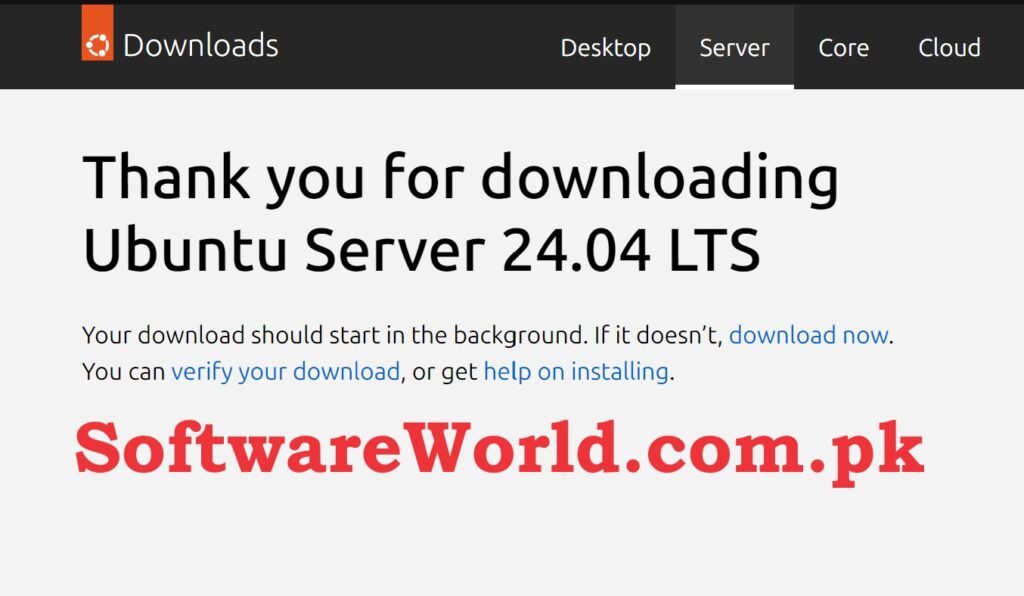
Click Here to Download Directly Ubuntu Desktop
Click Here to Download Directly Ubuntu Server
Download Ubuntu Quickly from IDM
- Install IDM Application OR Software using exe file in Setup folder
- Close the Application and uninstall completely (Even from system tray and task manager)
- Copy the IDMan.exe file from active folder to Application’s installation folder (C:\Program Files (x86)\Internet Download Manager)
- Confirm replacing if asked
- Run reg file
Internet Download Manager (IDM) 6.42
Click Here to See Free Kali Linux Download and Its Features
Click Here to See Free Windows 11 Download and Its Features
4. Verify the ISO File
It’s important to verify the integrity of the downloaded ISO file to ensure it hasn’t been corrupted. Ubuntu provides checksums and GPG signatures for this purpose. Follow the instructions on the Ubuntu website to confirm that the file matches the provided checksum.
5. Create a Bootable USB Drive or DVD
To install Ubuntu, you need to create a bootable USB drive or DVD. Tools such as Rufus (for Windows) or Etcher (for macOS and Linux) can help you burn the ISO image to your chosen media. Follow the tool’s instructions to create your bootable installation media.
6. Install Ubuntu
Insert the bootable USB drive or DVD into your computer and restart it. Boot from the installation media and follow the on-screen instructions to install Ubuntu. The installer will guide you through partitioning your drive, setting up user accounts, and completing the installation.
Key Features of Ubuntu
Ubuntu is packed with features that enhance usability, performance, and security. Here’s a look at some of its most notable features:
1. User-Friendly Interface
Ubuntu’s default desktop environment, GNOME, provides a clean and intuitive interface. Its streamlined design makes it easy for new users to navigate and use the system effectively. The user-friendly interface contributes to Ubuntu’s reputation as a beginner-friendly Linux distribution.
2. Software Center
The Ubuntu Software Center is a comprehensive tool for managing applications. It allows users to browse, install, and manage software effortlessly. With thousands of applications available, including both free and paid options, you can easily find and install the software you need.
3. Security and Privacy
Ubuntu prioritizes security with features like automatic updates and a built-in firewall. Regular security patches and updates ensure that your system remains protected against vulnerabilities. Additionally, Ubuntu’s open-source nature means that its code is transparent and subject to community review, which enhances privacy and security.
4. Regular Updates and Long-Term Support (LTS)
Ubuntu follows a predictable release cycle, with new versions released every six months. LTS (Long-Term Support) versions are released every two years and receive updates for five years. This regular update schedule ensures that users have access to the latest features and security patches.
5. Extensive Community Support
One of Ubuntu’s strongest assets is its active and supportive community. The Ubuntu forums, documentation, and community resources provide valuable assistance for troubleshooting and learning. Whether you’re facing issues or seeking advice, the Ubuntu community is a great place to find help.
6. Customizability
Ubuntu offers extensive customization options. Users can modify the appearance and functionality of their system through themes, icons, and extensions. This flexibility allows you to personalize your desktop environment to suit your preferences and needs.
Conclusion
Downloading and installing Ubuntu is a simple process that opens up a world of possibilities for both new and experienced users. With its user-friendly interface, extensive software options, and strong security features, Ubuntu stands out as a top choice for various applications. By following the steps outlined in this guide, you can quickly get started with Ubuntu and enjoy its many benefits.
Whether you’re setting up a personal desktop or a server environment, Ubuntu’s versatility and robust features make it an excellent choice. Download Ubuntu today to explore its powerful capabilities and experience the advantages of this popular Linux distribution.
If You Have Any Questions, Please Feel Free to Post Them in the Comment Section Below!
For more updates and content, be sure to follow our Facebook page, subscribe to our YouTube channel, and check out our Instagram for the latest photos and stories.